
The estimate lives on the deal, not in a folder.
Whether you price jobs in Summit Hub or in Buildxact, the numbers land on the deal itself (category totals, GST, the lot), where your pipeline, your financials and your client portal all read from the same sheet.
Price it where you like: it ends up in one place.
Summit Hub ships its own line-item estimating, so smaller outfits never need another tool. Already on Buildxact? Connect it and your estimates sync across automatically, matched to the right deal: takeoffs stay in Buildxact, the business runs in Summit Hub.
- Built-in estimating on every plan. Line items, categories, GST and totals on the deal from day one.
- Buildxact sync on Crew and up. Estimates match to the right deal by client and refresh automatically as Buildxact syncs.
- Client-ready quote PDFs. Turn a native estimate into a branded quote (your logo, terms and payment details), choosing how much pricing the client sees: every line, category totals, or one lump sum.
- Excel cost workbook. One click turns the estimate into a clean workbook for your QS and back office: categories, costs and invoicing lined up.
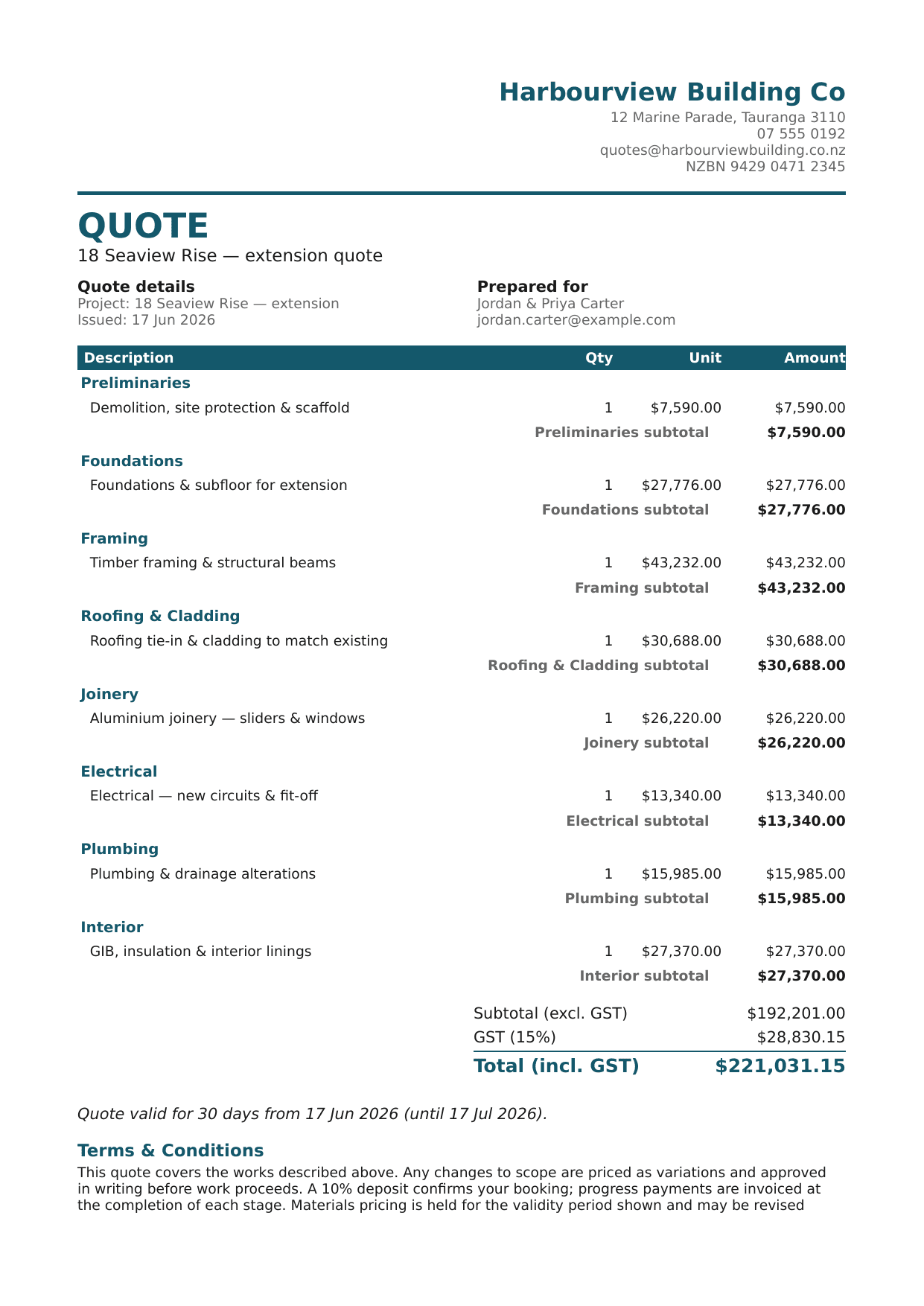
More than one quote layout, pick the one that fits
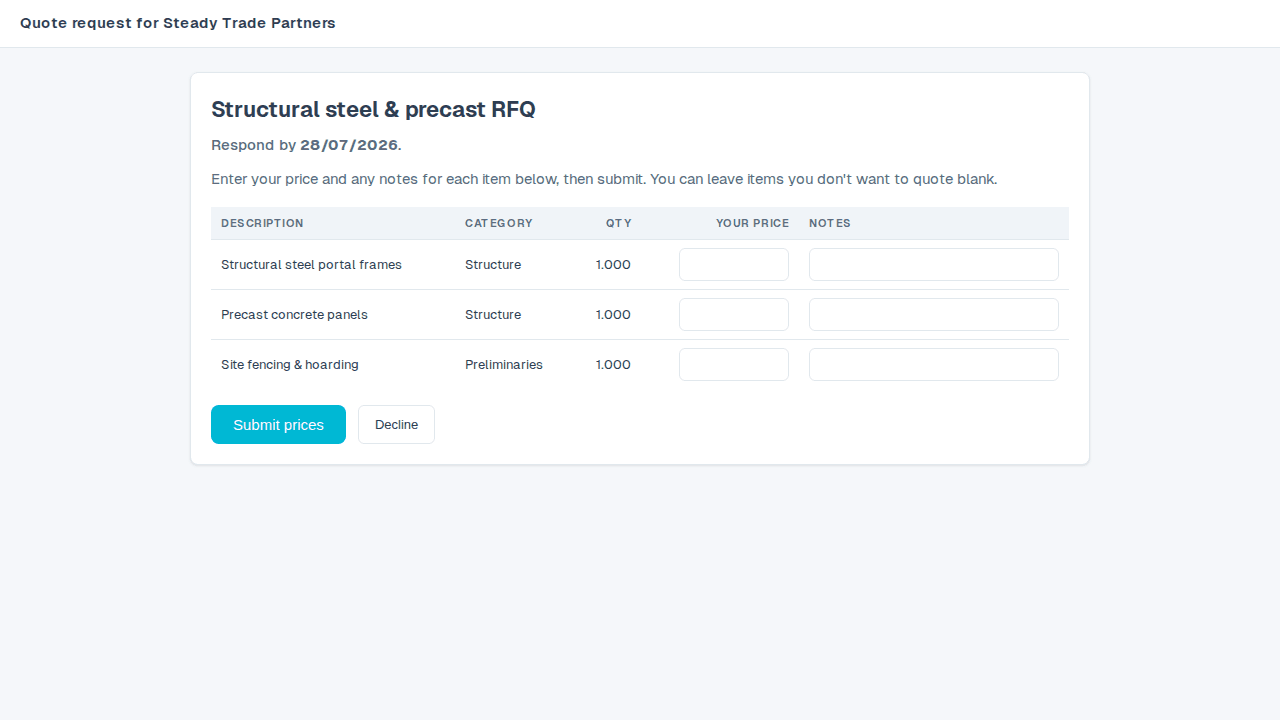
Build named, block-based quote templates (a cover page, a personal cover letter, pricing, an image gallery of past work, terms and payment details) and choose which one, with which sections switched on, each time you download a quote.
- Build more than one template. One for repeat clients, one for a bigger first pitch, each with its own blocks and business details.
- Toggle sections at download time. Leave off the cover letter for a follow-up quote without editing the template itself.
- Folds in your specifications. When you're also using line-item specifications, a template's Specifications block pulls the write-ups straight in.
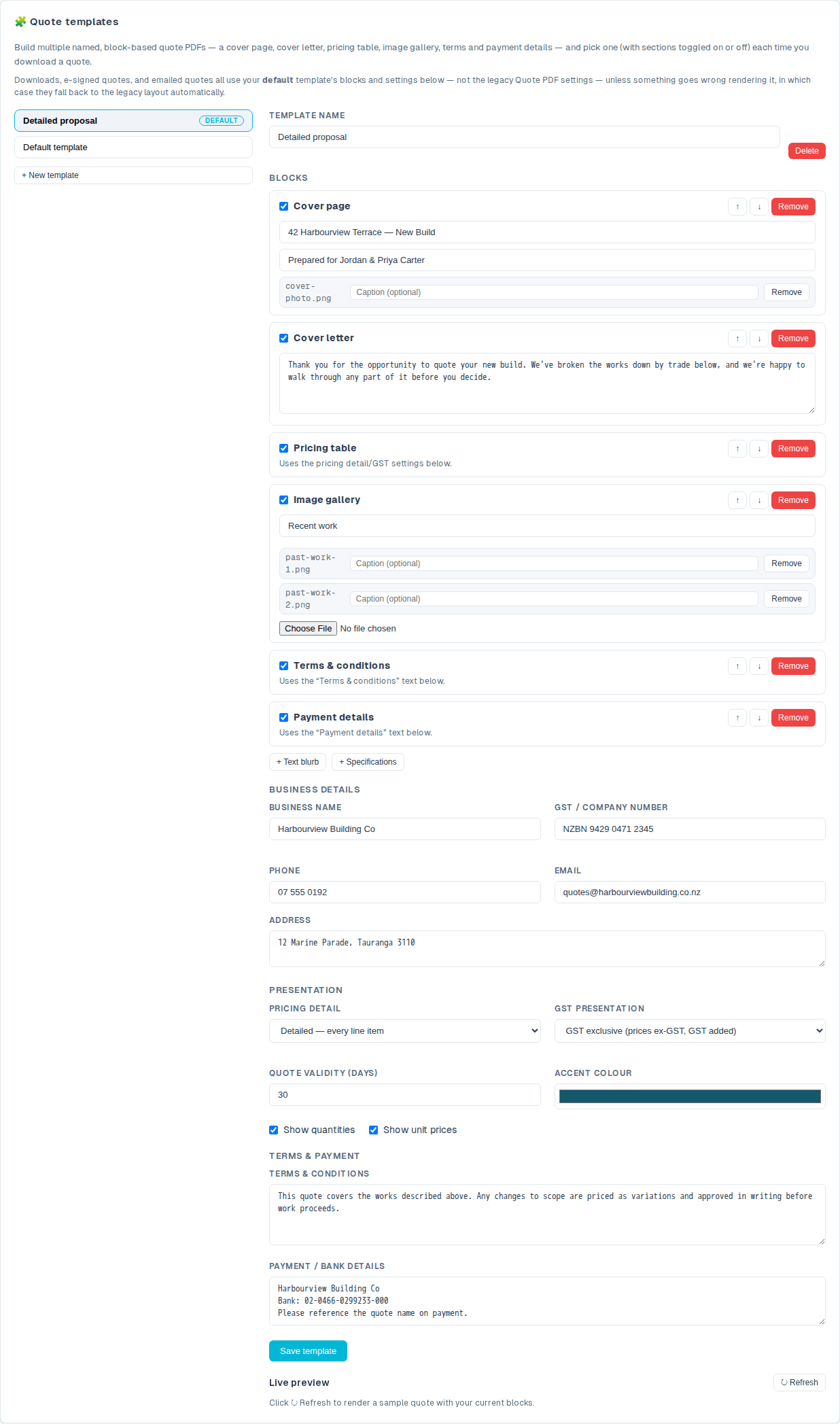
Tell the field crew exactly what you priced, never what it cost
Flag any estimate line item as needing a written spec, describe it once with text and photos, and hand your crew or QS a price-free PDF that shows exactly what was flagged. No dollar figure anywhere on the page.
- One flag, one write-up. Tick the S column on the estimate grid and write the spec once: it stays attached to the item.
- Photos included. Attach captioned photos so there's no ambiguity about the finish on site.
- Safe for Field accounts. Because it's price-free, the specification PDF is available to on-site crew, not just office staff.
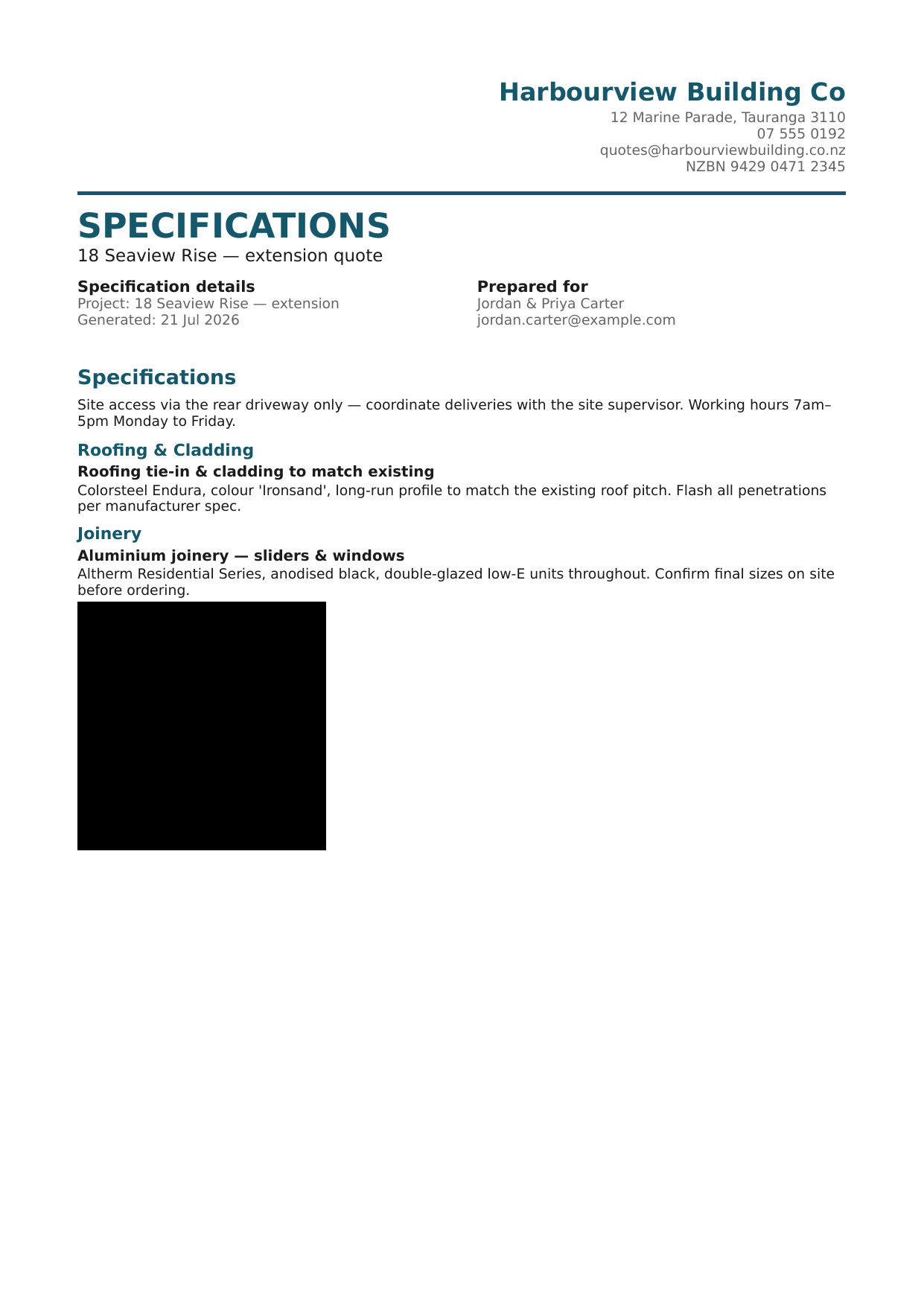
Get trade partners pricing, without showing them your numbers
Build a request-for-quotes package from selected line items, send it to trade partners by email, and let them price it on a simple public page. No account needed. Compare their answers side by side and pull the number you want straight into the estimate.
- Never a price leaks. The package a trade partner sees carries only description, category and quantity: nothing you paid, nothing the client's paying.
- Reminders and expiry, automatically. A bounded reminder goes out if a partner goes quiet, and their link stops working after the due date you set.
- One click to accept. Accept a partner's submitted price and it writes straight back into the matching line item's cost.
Your own codes, at the price you're paying today
Keep a list of the things you buy and the labour you sell (4x2 timber, 90mm nails, a carpenter's hour), each with your own code, unit and current cost. Pick from it on any draft estimate or estimate template and the line comes through filled in: description, code, unit and price. When your supplier's prices move, paste their new list into the Price Book, or import their whole CSV or Excel export, and every code updates at once.
- Quote from one list, not four spreadsheets. Add from Price Book on a deal's Estimate tab and on the Templates page: the same codes, the same prices, in both places.
- One price load, every template repriced. Template lines remember the code they came from, so a new supplier list re-prices them all: a template and a direct pick can never disagree about today's cost.
- Estimates you've already built don't move. A quote you've sent keeps the price it was quoted at. New prices apply to what you build next.
- Whole supplier exports, not just a price column. Import a CSV or XLSX with its own headers (code, description, type, category, unit, cost) and it works out which column is which, or asks you once and re-reads the file.
Clients e-sign your quote, and it accepts itself
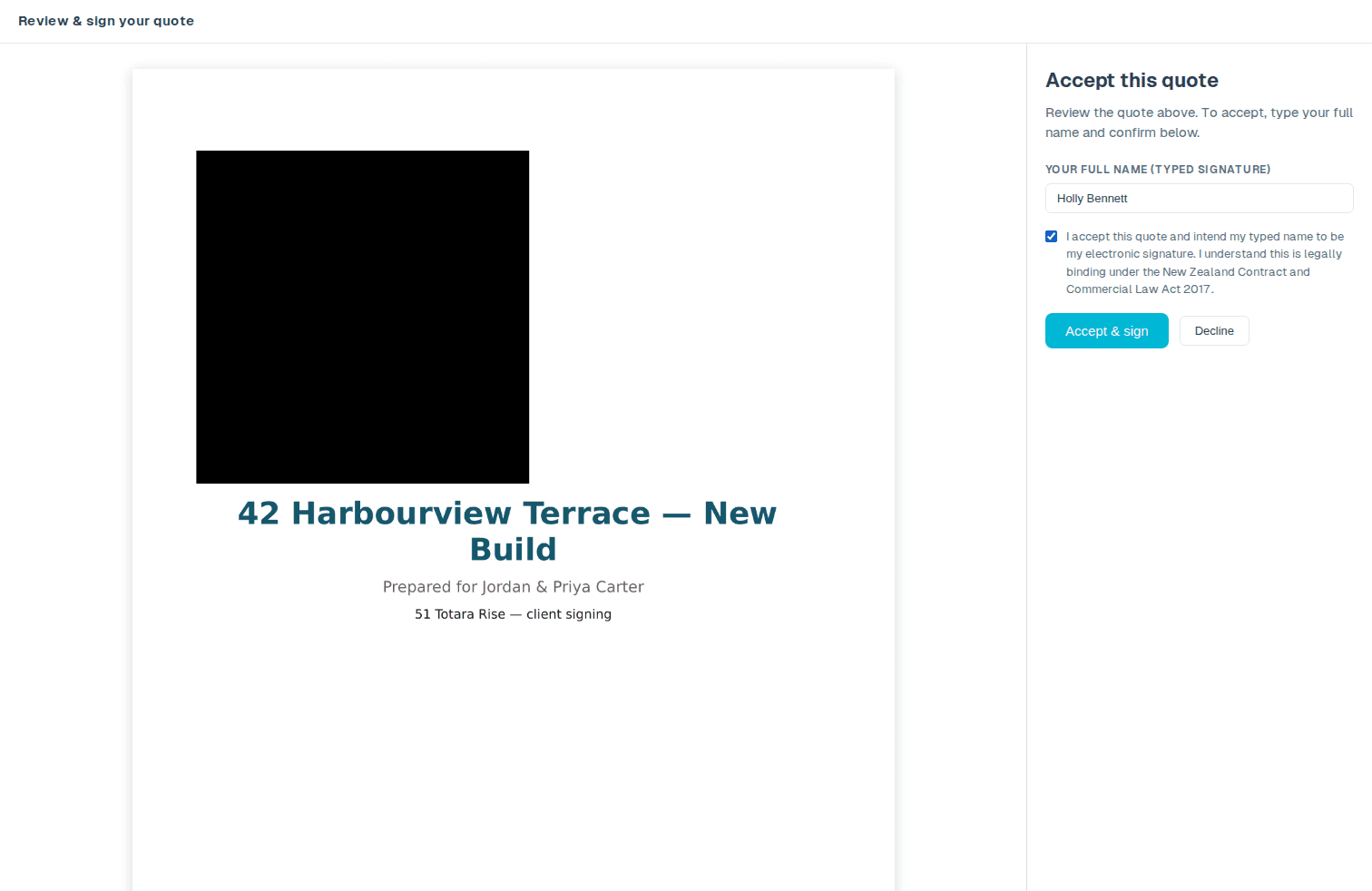
Send the client a secure link to sign your quote online. The moment they sign, the quote flips to Accepted, a signed PDF is filed against the job, and the signing is recorded, with no printing, scanning or chasing a reply.
- Sign from any device. The client opens one clean page, signs, and they're done: no account, nothing to install.
- Accepts on its own. A signed quote moves straight to Accepted on your board, with the signed PDF filed against the job. You don't lift a finger.
- On file and on the record. Electronic signatures are recognised under Part 4 of NZ's Contract and Commercial Law Act 2017. Summit Hub records the signer, the timestamp, their IP address and the exact document hash, kept with the signed PDF.
Estimating on every plan
Quote it once. Use it everywhere.
Native estimating is on every plan; the Buildxact integration comes with Crew.
See pricing